


Find a service
Choose a service through search, categories or the smart assistant.

Only services available in the selected country are shown.
 Slovenia
— you only see services from this country
Choose a plan and billing period. Annual billing costs less and the saving is always shown in EUR and percent.
This page shows the updated booking flow for users and how providers manage services, service areas, time slots, payments, statuses and communication. It explains the real booking process, not every technical platform detail.
The user finds a service, selects an address, checks location coverage, chooses a time slot, pays securely via Stripe and then follows booking status and communication with the provider.
Choose a service through search, categories or the smart assistant.
Choose an existing address or add a new one; the system checks whether the provider covers that location, then choose an available time slot.
After confirming price and time slot, you continue directly to secure payment via Stripe.
After payment, you follow booking status, receive notifications and can communicate with the provider in chat when needed.
After service completion, the user confirms completion or requests a correction; the provider issues the invoice to the user.

The user reviews the service, image, price, any active discount, location coverage and then continues to time slot selection and payment.
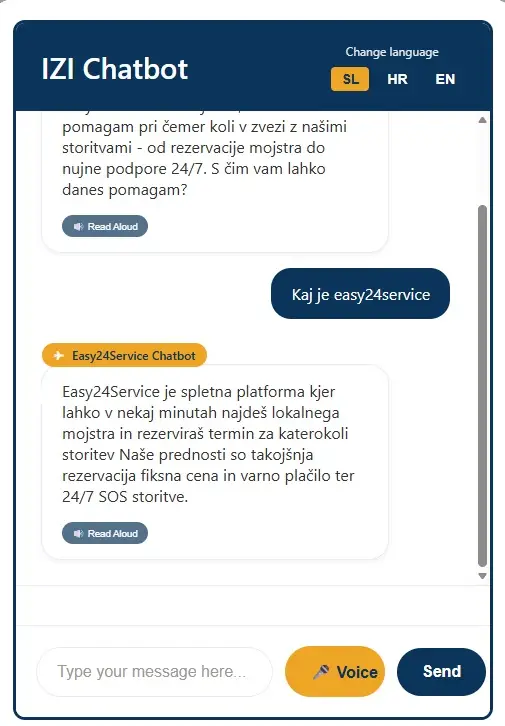
The smart assistant helps with basic platform questions, choosing the right service, booking, SOS options and site navigation.
The mobile app helps users search for services faster, book a time slot, follow booking status, receive notifications and communicate with the provider. Providers can also use the mobile app to follow new bookings, statuses and customer communication more easily.
The main focus of the mobile app is a practical booking overview: statuses, history, notifications, chat, booking details and next steps are quickly available to users and providers.
After onboarding, the provider adds services, prices, service areas and time slots, then follows payments, statuses, chat and booking completion in the dashboard.
Registered companies, sole proprietors and other service providers from supported countries worldwide can join. Registration, verification and guidance are handled through the platform.
After approval, the provider adds descriptions, prices, service area, images and, where needed, SOS 24/7 services.
The provider opens days and hours in the calendar, so the customer sees only truly available time slots.
When the user selects a covered address, time slot and pays, the provider sees a clear booking with details, payment and status in the dashboard.
The provider communicates through chat, updates statuses, marks the service as completed and receives the payout according to platform rules.
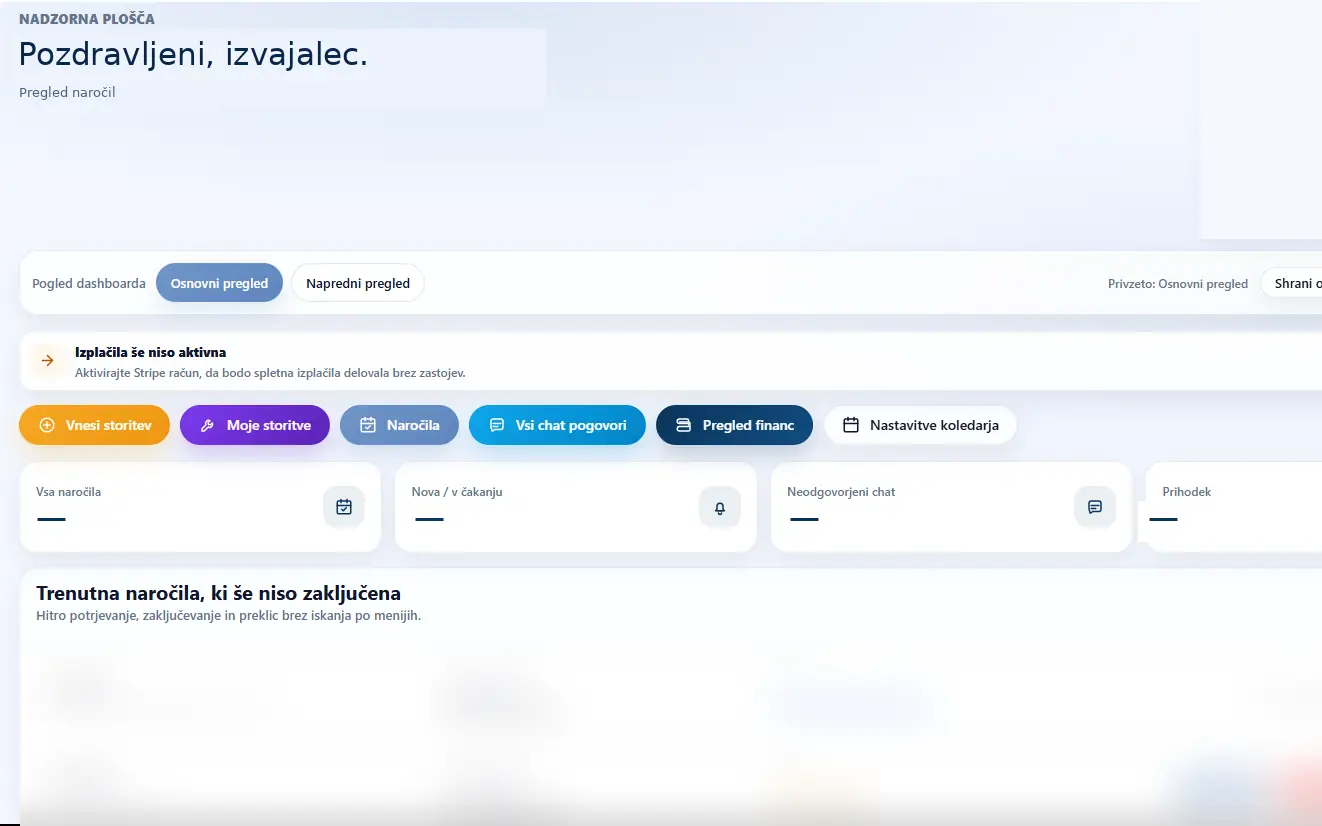
After registration, the provider has a dashboard overview of bookings, payments, booking statuses, time slots and communication in one place.
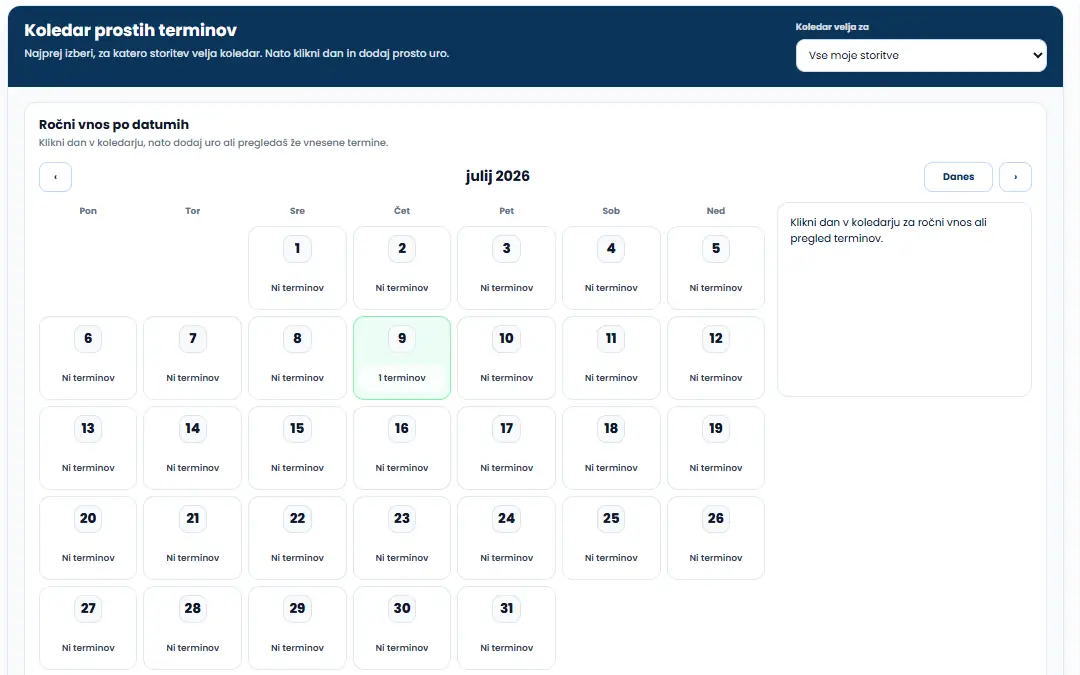
The provider opens the time slots they want to offer to users. If they enable SOS 24/7 services, these are intended for urgent user needs in the covered area.
Easy24Service is open to registered companies, sole proprietors and other service providers worldwide. Availability of registration, online payments and payouts may depend on the country and support by the external payment provider. Initial registration, basic data verification and guidance for next steps are handled through the platform.
This makes the start faster, more personal and clearer, while the provider also gets help with the first service entry, service areas, time slots, payments and booking statuses.
The Easy24Service platform is not responsible for the quality of service execution and does not resolve complaints, disputes or other disagreements between the provider and the user. The provider who performs the service is responsible for service execution and issuing the invoice.
Choose the registration method that suits you and follow the process step by step.
Create a user account or register your company as a provider and start using Easy24Service.
On Easy24Service you see the price and a free time slot before you book. No waiting for quotes and no arranging by phone.
You enter your card on the secure Stripe page. We never see or store your card details.
We review every service and the provider details before publishing it. The price, description and service area are known in advance, and the order and payment are recorded on the platform.
Send a request. We pass it on to suitable providers near you, and you choose who to continue with.
Currently in Slovenia, Croatia and Luxembourg, in more than 30 languages. If the service you need is not listed yet, send a request and we pass it on to providers near you.
They do not pay for requests. Commission only on completed and paid orders.